

Firejail Basics
A beginner-friendly guide to sandboxing Linux applications
1. Introduction
Modern Linux desktops run hundreds of applications that interact with the filesystem, network, hardware devices, and user data. Even trusted applications can contain bugs or vulnerabilities that may be exploited. Sandboxing is a security technique that limits what an application can access, reducing the impact of a compromise.
Firejail is a lightweight, easy-to-use sandboxing tool for Linux. It uses kernel features such as namespaces, seccomp-bpf, and Linux capabilities to restrict applications without requiring containers or virtual machines.
This article introduces Firejail from the ground up, focusing on practical usage for beginners.
2. What Is Firejail?
Firejail is a SUID sandbox program that:
- Isolates applications from the rest of the system
- Limits filesystem access
- Restricts network connectivity
- Reduces available system calls
- Drops unnecessary privileges
Unlike Docker or full containers, Firejail is:
- Fast (starts in milliseconds)
- Simple (single command usage)
- Desktop-friendly (works well with GUI apps)
3. How Firejail Works (High-Level)
Firejail builds sandboxes using existing Linux kernel mechanisms:
| Feature | Purpose |
|---|---|
| Namespaces | Isolate processes, mounts, networking, IPC |
| Seccomp-bpf | Filter and block dangerous system calls |
| Linux capabilities | Drop unneeded root-like powers |
| cgroups | Control resource usage (optional) |
| AppArmor (optional) | Extra Mandatory Access Control |
You do not need to understand these in depth to use Firejail effectively.
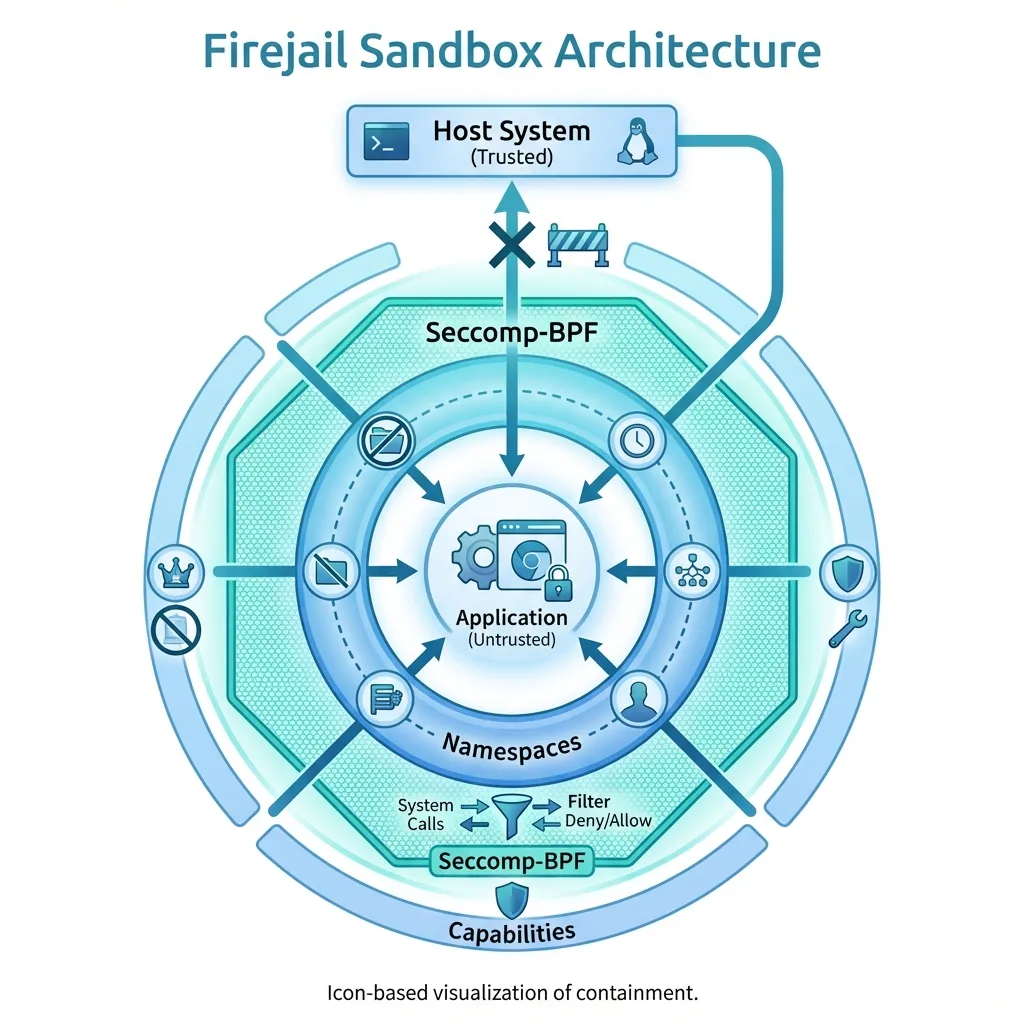 Firejail uses multiple Linux kernel features to create secure sandboxes
4. Installing Firejail
Debian / Ubuntu / Linux Mint
sudo apt update
sudo apt install firejail firejail-profiles
Arch Linux
sudo pacman -S firejailFedora
sudo dnf install firejailVerify installation:
firejail --version5. Basic Usage
5.1 Running an Application in a Sandbox
The simplest usage:
firejail firefoxThis launches Firefox inside a restricted environment.
To confirm:
firejail --list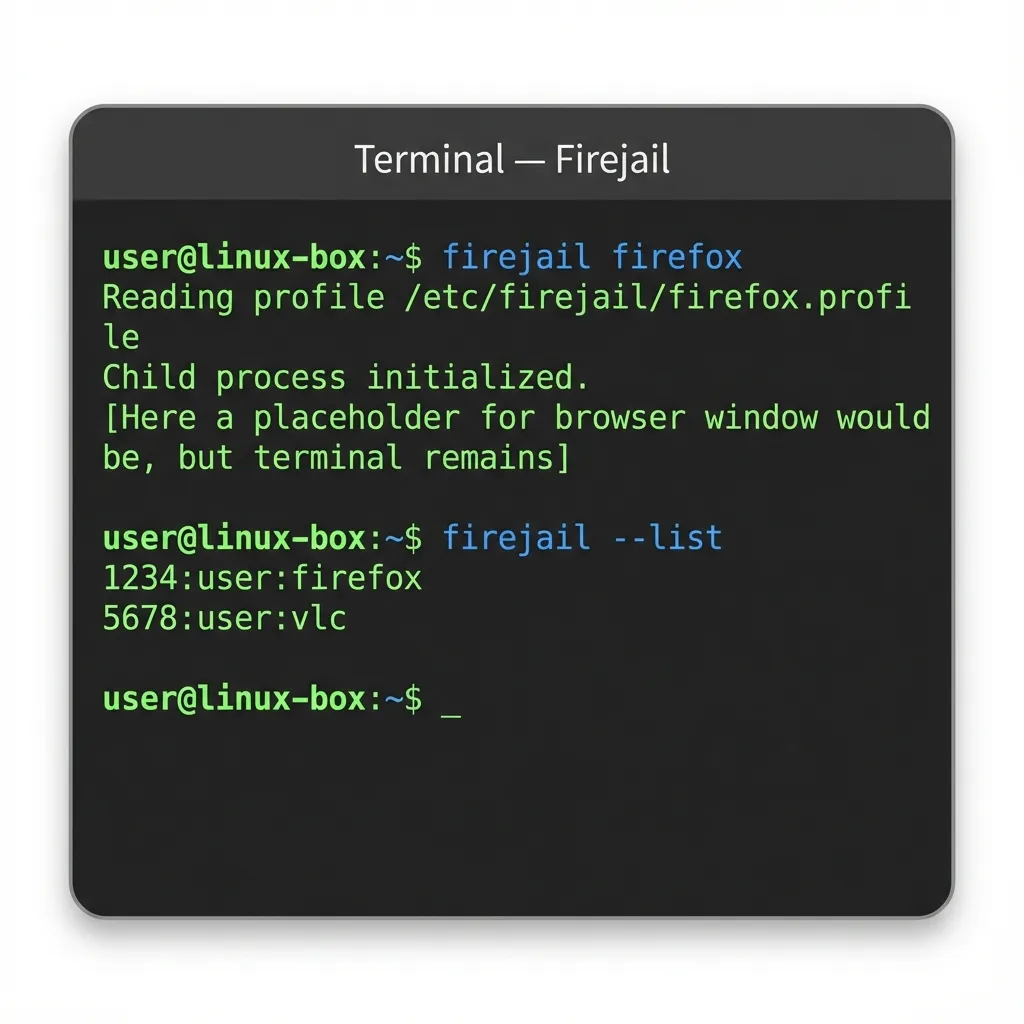 Example Firejail commands in action
5.2 Firejail Without Arguments (Auto Mode)
If Firejail finds a predefined profile, it applies it automatically:
firejail vlcProfiles live in:
/etc/firejail/6. Understanding Firejail Profiles
A profile defines what an application can and cannot do.
Example: Firefox Profile Snippet
include /etc/firejail/disable-common.inc
netfilter
private-tmp
noexec ${HOME}
Key concepts:
private-tmp→ Isolated/tmpnetfilter→ Network restrictionsnoexec→ Prevent execution in certain paths
Firejail ships with hundreds of prebuilt profiles.
7. Common Firejail Options (Beginner-Friendly)
7.1 Filesystem Isolation
| Option | Description |
|---|---|
--private | Empty home directory |
--private=dir | Use custom private home |
--read-only=dir | Mount directory as read-only |
--whitelist=dir | Allow access to specific path |
Example:
firejail --private firefox7.2 Network Restrictions
Disable networking completely:
firejail --net=none evinceUseful for:
- PDF readers
- Media players
- Offline tools
7.3 Temporary Files Protection
firejail --private-tmp appnamePrevents access to:
/tmp
/var/tmp
7.4 Dropping Privileges
firejail --caps.drop=all appnameRemoves all Linux capabilities from the app.
8. Sandboxing GUI Applications
Firejail works seamlessly with GUI apps using X11 or Wayland.
Examples:
firejail gimp
firejail libreoffice
firejail obsidian
Clipboard, audio, and display access are handled automatically unless explicitly restricted.
9. Checking and Debugging Sandboxes
9.1 List Running Sandboxes
firejail --list9.2 Inspect a Sandbox
firejail --tree9.3 Debug Profile Issues
firejail --debug appnameThis is useful when an app fails to start due to over-restriction.
10. Firejail vs Other Sandboxing Tools
| Tool | Scope | Complexity |
|---|---|---|
| Firejail | Per-app sandbox | Low |
| AppArmor | System-wide MAC | Medium |
| SELinux | Enterprise-grade MAC | High |
| Flatpak | Application packaging + sandbox | Medium |
| Docker | Service/container isolation | High |
Firejail is ideal for desktop users and power users.
11. When to Use Firejail
Recommended for:
- Web browsers
- PDF readers
- Media players
- Messaging apps
- Closed-source binaries
- Apps downloaded from unknown sources
Not ideal for:
- Kernel-level software
- Drivers
- System services (use systemd sandboxing instead)
12. Common Pitfalls
- Over-restrictive profiles may break apps
- Some Electron apps need writable cache directories
- Network-disabled apps may hang silently
Solution: Start with default profiles and tighten gradually.
13. Best Practices
- Use predefined profiles first
- Avoid running Firejail as root
- Combine with AppArmor for defense-in-depth
- Regularly update Firejail profiles
- Test profiles after system upgrades
14. Quick Reference Cheat Sheet
firejail appname                # Run with default profile
firejail --private appname      # Empty home directory
firejail --net=none appname     # No network
firejail --list                 # List sandboxes
firejail --debug appname        # Debug issues
15. Conclusion
Firejail provides an excellent balance between security, simplicity, and performance. It allows Linux users to sandbox applications without adopting heavy container technologies or complex policy frameworks.
For beginners, Firejail is one of the best first steps into practical Linux security hardening.